The clean
cookie editor.
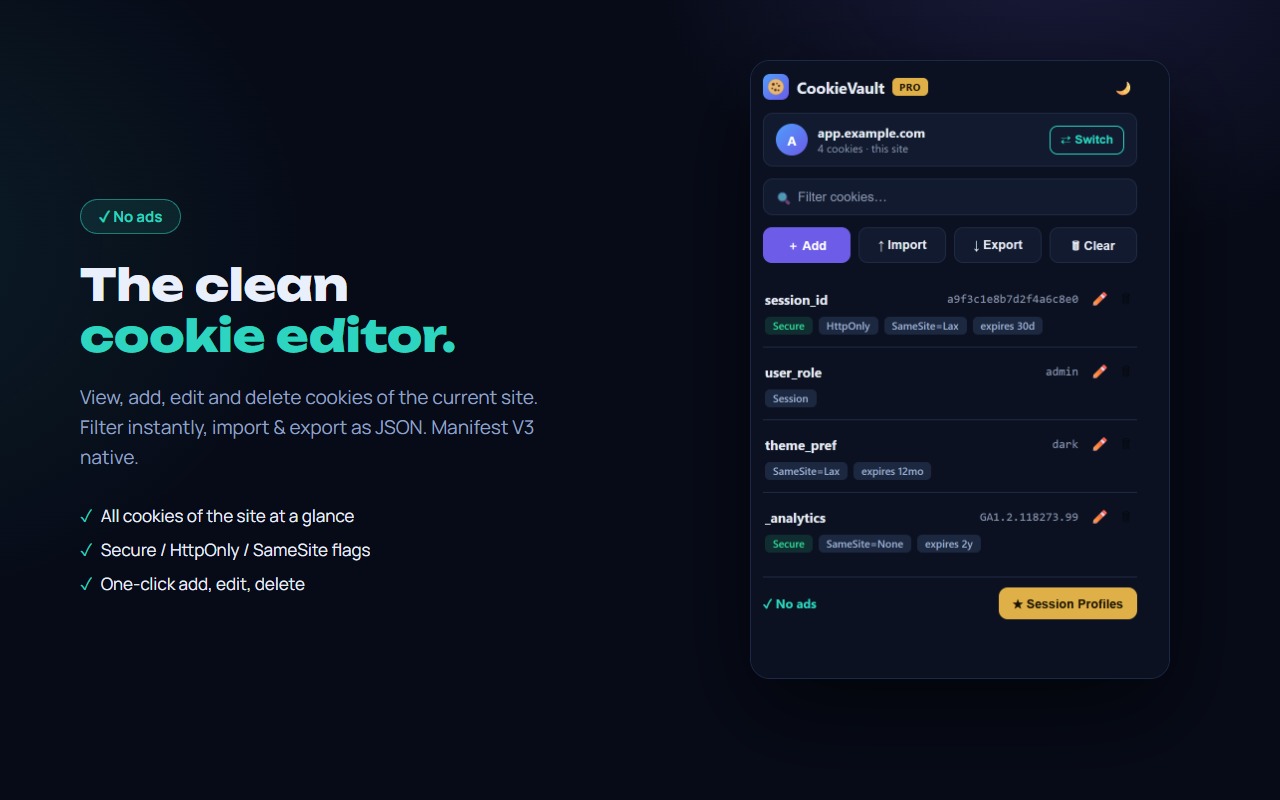
CookieVault is a clean cookie editor for Chrome. See every cookie of the current site with its flags, add, edit or delete in one click, filter instantly, and import / export as JSON — perfect for backups and moving sessions between machines.
// what you get
Every cookie. Under control.
All cookies at a glance
Every cookie of the current site with Secure, HttpOnly, SameSite and expiry flags.
Add, edit, delete
Full control over every field — name, value, domain, path, expiry and flags — in a clean modal.
Import & export JSON
Back up a site's cookies or move a session between machines in one click.
Instant filter
Find any cookie by name or value as you type. Clear all with one confirmed click.
Access only where you allow
No blanket access to all sites: CookieVault asks for permission per site, on your click. Or allow everywhere — your choice.
Light & dark
Two clean themes, one tap apart. Your choice is remembered.
Session profiles
Save a site's whole cookie set under a name and switch accounts in one click — no logout, no incognito window. Unlimited, free, saved per domain.
No ads
Clean tool, no ad banners — ever.
// faq
Questions, answered.
How do I edit cookies in Chrome?
Install CookieVault and open any site. Click the extension icon — you will see every cookie of the current site. Click the pencil to edit any field, the trash to delete, or Add to create a new cookie.
Can I export and import cookies?
Yes — Export saves the current site's cookies as a JSON file; Import loads them back. Handy for backups, testing and moving a session to another machine.
Does CookieVault need access to all sites?
No. CookieVault starts with no site access at all and asks only for the site you are on, right when you click «Allow on this site». Prefer one-time setup? Grant all sites instead — your choice. Cookies are only read for the tab you are actively viewing, locally.
How do I switch accounts on a site without logging out?
Log in, open CookieVault and hit Save current — that stores the site's whole cookie set as a named session profile. Switch to another profile and the site treats you as that account: no logout, no incognito window. Profiles are saved per domain, and you can rename, update or delete them any time.
Is CookieVault free? Does it show ads?
Yes, free, and there are no ads. Session Profiles are included at no cost. See the privacy policy.